 Join The Community





The PS2 just turned 26 years old, as the system many would call Sony's best retro console debuted in Japan on March 4, 2000. I'm not exaggerating when I say the legendary Sony PlayStation sequel completely flipped the gaming scene on its head when it arrived with its then cutting-edge Emotion Engine CPU, Online support, and DVD playback capabilities, and it still feels modern if you gift it the right gadgets.
Retro Receiver | $24.99 at Amazon
OSSC | $111.99 at Amazon
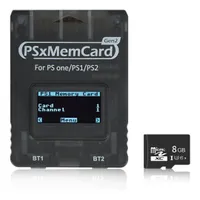
PSxMemcard | $37.99 at Amazon
Those are just small caveats that aren't enough to really blemish the PlayStation 2's legacy, and I still use the OG console to play the outings that turned me into a horror fanatic, like Silent Hill 2 and Fatal Frame, as well as its expansive library of RPGs and shooters (big shout out to Time Splitters 2). That said, there are a couple of accessories I'd add to your setup to celebrate the PS2 26th anniversary, as I reckon the old gal has earned a helping hand.
I'm not saying use a DualSense with your PS2, but...


Again, I am somewhat of a purist, so I like to use original PS2 DualShock 2 controllers where possible. If I could really have my way, I'd probably use a PS1 gamepad instead, but Sony irritatingly blocks you from using the pad for PlayStation 2 releases. However, thanks to nifty gizmos like the 8Bitdo Retro Receiver, you can cut the cord and use everything from the DualSense to even an Xbox wireless controller if you're feeling blasphemous to arm Sony's 2000s system with Bluetooth abilities.
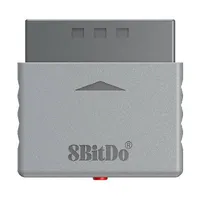
It feels like only yesterday that I'd have to use my old Logitech Cordless Action controller if I wanted to untether myself from the PS2. That pads rubberized coating is starting to feel a bit sticky for my liking, but the 8Bitdo Retro Receiver arrived just in time to replace the old controller. Originally, I was skeptical about whether the wireless adapter would be able to sync modern gamepads via Bluetooth without latency and connectivity caveats, but I've yet to detect any of that nonsense during extensive sessions.
Syncing controllers up to the PS2 feels just as streamlined as with a modern system, and the Retro Receiver is remarkably reliable. In fact, the only gripe I currently have with 8Bitdo's adapter range as it lacks support for Nintendo's new Switch 2 Bluetooth protocol, but I'd argue that only matters if you're looking to use the Switch GameCube controller with an actual Gamecube. If Ninty's new Pro controller happens to be the only pad in your possession, you might want to grab a Blueretro alternative at Aliexpress, but I do prefer 8Bitdo's dongle aesthetically.
Sprucing up PS2 graphics on modern screens

I'm anything but a gatekeeper, so if you're perfectly happy hooking your PS2 up to modern screens using cheaper HDMI adapters or even just old analogue outputs if your display has support, you do you. I personally think it's worth looking at specific solutions that will crisp things up with minimal lag, and I personally use an OSSC.
I've already covered how to connect your retro console to a modern TV or monitor extensively, but I want to highlight what an OSSC (Open Source Scan Converter) can do for the PS2 specifically. The device is technically a "line doubler" rather than a traditional upscaler since it multiples scanlines to ramp resolutions up to 1080p. By deinterlacing the console's graphics and properly increasing the 480i resolution to progressive scan, the visuals do look noticeably sharper, but they do come with one jittery caveat.
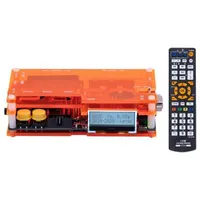
The OSSC uses "BOB deinterlacing" that effectively converts interlaced fields to full frames, which in turn doubles the frame rate. The catch is that it produces a flicker or "bobbing" effect that can be visually irritating and even cause image retention on IPS displays. Having used the method extensively with an OLED, I can confirm I haven't managed to afflict my monitor with screen burn, but if it all sounds too scary, the next cheapest solution that I'm currently looking to test is the GBS-Control (GBS-C).
The GBS-C typically goes for around $89 at Amazon, and while I've yet to add it to my setup, it offers motion-adaptive delinterlacing to combat flickering using an algorithm. It's still not going to provide the same flawless results as expensive options like the RetroTINK 5X, which costs $325, but it's certainly a more affordable way to upscale without giving your PS2 the jitters.
Helping the PS2 feel smooth

In addition to upscaling your PS2's aging 3D graphics, you could go the extra mile for the console's birthday by smoothing out its edges. Some players are going to prefer the rougher appearance of unfiltered pixels, using something like the Marseille mClassic will help round out jagged edges while providing anti-aliasing.
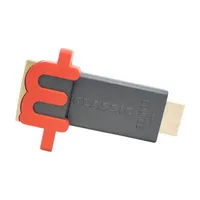
Admittedly, I use the mClassic more with the Xbox 360 since it's particularly good at enhancing slightly newer games that have aliasing issues and rough textures due to hardware limitations. That said, it's still going to smooth out PS2 visuals too, not to mention it will also upscale to 1080p or even 1440p if you have the right screen. The baseline result is going to be smoother edges and less aggressive-looking textures, and if you feel like that's what you're getting on modern displays, the dongle is worth a look.
Party favors for Sony's legendary system

If you really feel like pushing the boat out for the PS2's 26th birthday, there are plenty of other little gadgets that will enhance the system. If you're eyeing up an upscaler like the OSSC or GBS-C, you'll ideally want to pick up an RGB-compatible composite or SCART cable, as it'll let you tap into the console's cleanest available output rather than sticking with blurry composite RCA visuals.
If you're in need of a new memory card, or fancy fooling around with homebrews or tackling region locking, there are also modern solutions. If you opt for something like the BITFUNX PSxMemCard, you'll have access to virtual memory cards as well as support for FreeMcboot, which is a doorway to running your backups, playing imports, and even forcing 480p resolution to deal with the interlacing woes mentioned above.
As with all my quick setup advice, I'm hoping my words will inspire you to use a real PS2 in 2026 and experiment with enhancing gadgets. Even if you decide to get hold of an old CRT and purely stick to old-school methods, I'll be happy, but I do think there's a lot to gain from using new accessories with the 26-year-old console.
Looking for ways to play PS2 games on the go? Swing by the best retro handhelds and best gaming handhelds for emulation systems, portable PCs, and more.

You must confirm your public display name before commenting
Please logout and then login again, you will then be prompted to enter your display name.
