You are now subscribed
Your newsletter sign-up was successful
Want to add more newsletters?

Every Friday
GamesRadar+
Your weekly update on everything you could ever want to know about the games you already love, games we know you're going to love in the near future, and tales from the communities that surround them.

Every Thursday
GTA 6 O'clock
Our special GTA 6 newsletter, with breaking news, insider info, and rumor analysis from the award-winning GTA 6 O'clock experts.

Every Friday
Knowledge
From the creators of Edge: A weekly videogame industry newsletter with analysis from expert writers, guidance from professionals, and insight into what's on the horizon.

Every Thursday
The Setup
Hardware nerds unite, sign up to our free tech newsletter for a weekly digest of the hottest new tech, the latest gadgets on the test bench, and much more.

Every Wednesday
Switch 2 Spotlight
Sign up to our new Switch 2 newsletter, where we bring you the latest talking points on Nintendo's new console each week, bring you up to date on the news, and recommend what games to play.

Every Saturday
The Watchlist
Subscribe for a weekly digest of the movie and TV news that matters, direct to your inbox. From first-look trailers, interviews, reviews and explainers, we've got you covered.

Once a month
SFX
Get sneak previews, exclusive competitions and details of special events each month!
December seems to be a good month for gaming keyboards. Just last year my favorite deck for much of 2025 released, with the SteelSeries Apex Pro TKL Gen 3 taking to the shelves for the first time in the holiday season. Now Corsair's pulling the same trick.
The Corsair Vanguard Pro 96 has just ascended to the top of my guide to the best gaming keyboards I've tested so far. It's a fully magnetic Hall effect deck with all the number pad and macro button controls you'd expect from a full-sized design, in a more compact 96% form factor. Throw in some of the best switches I've used so far, super textured PBT keycaps, and a soft, bouncy wrist rest and you've got yourself a winner.
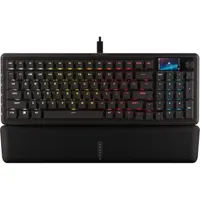
The Corsair Vanguard Pro 96 is no cheap deck, $229.99 is a lot for a gaming keyboard. If you've been saving to invest in a high-end magnetic option for a while, though, those numbers won't look so outrageous, they're only slightly higher than the SteelSeries Apex Pro TKL Gen 3. At least that cost isn't as jaw-dropping as the $419.99 price tag on the Asus ROG Falcata.
It's absolutely worth it if you're looking to set yourself up with adjustable magnetic switches ahead of 2026, though. I wasn't blown away by the first generation of Corsair's MGX switches when I first tested them in the K70 Pro TKL earlier this year. The Vanguard uses the second generation, though, and they're second only to the super-premium ROG HFX V2s in the Falcata.

In short, they remain smooth and clacky like a mechanical option whereas most Hall effect keyboards I've tested so far feel a little woolly, with slightly too much resistance underneath each press to feel truly comfortable during longer sessions. Here you're getting the best of both worlds; a customizable experience that still retains the tactile charm of a mechanical deck.
That's before we even get into the form factor. 96% isn't a size we see too much of in the gaming keyboard world, but many players still want to keep their number pads in action. Again, the Vanguard does it all. While SteelSeries' TKL form factor removes a whole chunk of buttons and the Razer BlackWidow V4 Pro packs everything but the kitchen sink (but doesn't leave much room for mouse swinging), Corsair had pinned itself in a perfect spot of balance.

It actually took me a moment to realize there was a number pad on here when I first got the Vanguard on the desk. From a quick look at its shape I just assumed it was a 75% model. Everything is squished in to keep that footprint as small as possible, which does take some getting used to. The arrow keys, for example, are a little awkwardly placed. However, I was able to confidently get to grips with the layout, even if I did still need to look down at those directional buttons.
Plus, you keep the additional controls of larger macro-heavy decks. The five customizable keys are lined up along the left hand side of the keyboard, slanted slightly away to avoid accidental presses. It's rare to find these extra clickers these days.
Corsair Vanguard Pro 96 vs SteelSeries Apex Pro TKL Gen 3
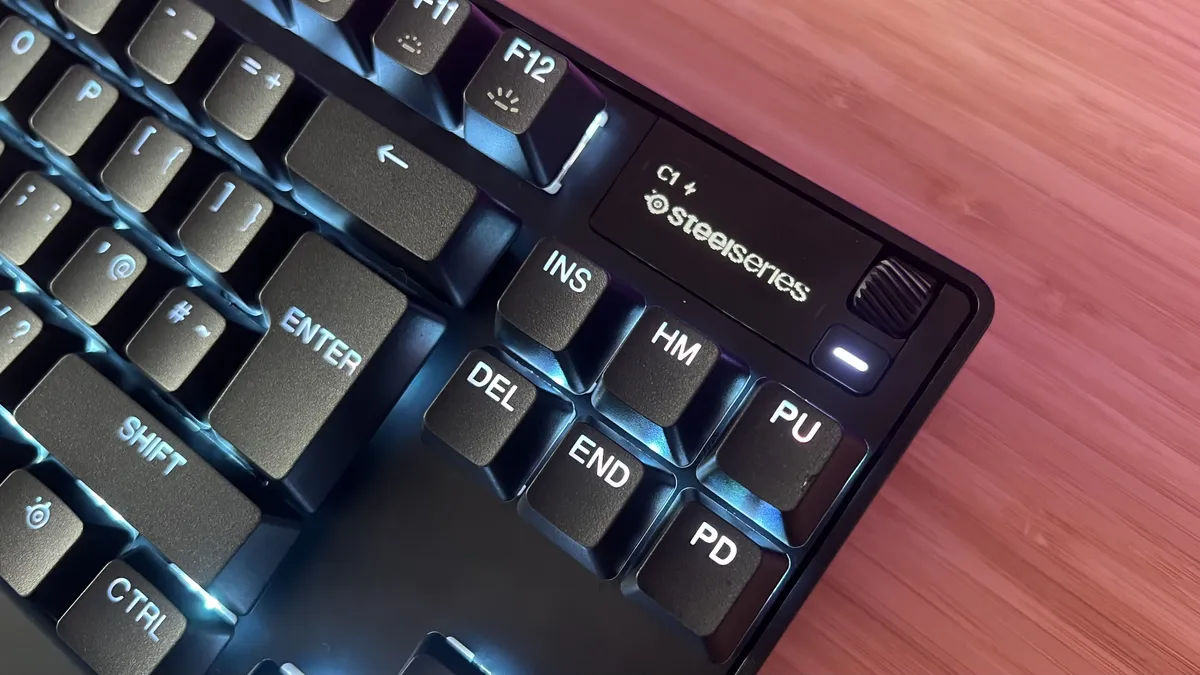
So how exactly did Corsair knock SteelSeries off the top spot?
Essentially, the Vanguard Pro 96 does more than the Apex Pro TKL Gen 3 while still keeping its form factor slim and its price tag comparable.
All keys are fully magnetic with a smoother, lower resistance typing feel, whereas the Apex only uses its slightly heavier Hall effect clackers on its main alpha keys.
The Vanguard offers more control options via its number pad and dedicated macro buttons, neither of which are available on SteelSeries' competitor.
Both decks use high quality PBT keycaps, a wired connection (though a wireless Apex Pro is also available), and feature dedicated volume controls.
You also won't need to download any additional software to make the most of Corsair's fighter, it's configurable from a light web-based app. SteelSeries does win out on the screen front.
Both decks use an OLED panel in the top right corner, but Corsair's color option can only show images. SteelSeries defaults to black and white, but allows for notifications and system information as well.
Corsair Vanguard Pro 96 vs SteelSeries Apex Pro TKL Gen 3
Corsair Vanguard Pro 96
- 96%
- All keys (minus macros) are magnetic
- Wired connection
- PBT keycaps
- Dedicated volume
- Color screen for images only
- Web-based software
- All keys are hot-swappable
- Less resistance in typing
SteelSeries Apex Pro TKL Gen 3
- TKL
- Only alphas are magnetic
- Wired connection
- PBT keycaps
- Dedicated volume
- BW screen for notifications and info
- Full software download
- Partially hot-swappable
- More resistance in typing
I'm also rounding up all the best wireless gaming keyboards and the best hot-swappable keyboards of the year. Or, check out the best membrane keyboards for something a little cheaper.

You must confirm your public display name before commenting
Please logout and then login again, you will then be prompted to enter your display name.