
Best Buy's Super Bowl TV deals are now live, and if you're excited to ring in the big game with a panel upgrade there are plenty of discounts on OLED screens to keep those eyes on the tube. Between Sony's flagships and LG's budget-minded entry-levels discounts are hitting four-figures this week.
OLED TVs are traditionally premium, but those prices have started to roll down in the last few years. The LG OLED B5, for example, comes in at just $599.99 in Best Buy's current Super Bowl TV deals - while still offering the 4K 120Hz features we would have only seen in the best gaming TVs just a little while back.
Best Buy's full Super Bowl TV sale
- 32-inch: from $59.99
- 43-inch: from $139.99
- 50-inch: from $169.99
- 65-inch: from $274.99
- 70-inch: from $339.99
- 85-inch: from $549.99
For the budget-minded upgrader
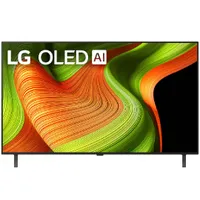
- Smaller spaces
- 1.5m to 2m viewing distance
- 4K 120Hz gaming
Just want to spruce up your panel but don't need your TV to take over the whole room? The LG OLED B-Series is for you. This is the brand's cheaper range of TVs, but it still packs a punch and uses a lot of the tech that used to be reserved only for premium offerings. At 48-inches, the main deal above is best for those who like to sit between 1.5m and 2m away from their screen without it filling their whole view.
A step up in size and specs
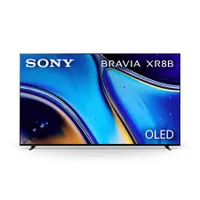
- Medium spaces
- 2m - 2.5m viewing distance
- 4K 120Hz gaming
The Sony Bravia kicks things up a notch compared to the B5, but doesn't go quite as far as the more premium options. At 55-inches it's going to offer a more immersive experience than the smaller option up top, best if you're watching from a distance of 2 to 2.5m away. For the extra cash, you're getting Sony's excellent upscaling tech as well as a processor that generally runs smoother.
A premium gaming panel
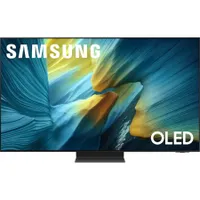
- Medium spaces with high daylight
- 2m - 2.5m viewing distance
- 4K 165Hz gaming
You're spending a good chunk of change more on the Samsung S95F, but if you struggle to keep your OLED panel glare free and want to pair it with a high-end PC that extra cash is well spent. This isn't going to suit those just looking for a regular upgrade, but if you've already been riding the OLED train for a while and are tired of daylight reflections it's well worth investigating further. That 4K 165Hz gaming option isn't going to benefit console players too much, though, both the PS5 and Xbox are capped at 120Hz.
For big-screen dreams
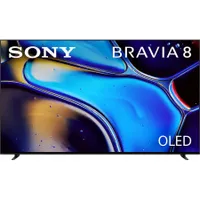
- Large spaces
- 2.5m - 3m viewing distance
- Movie fans
Want the Super Bowl to be center of attention in your living room this weekend? The Sony Bravia 8's 77-inch screen size suits viewing distances of up to three meters, ideal for larger spaces or room-filling immersion. With Sony's excellent HDR features and XR processing tricks this is a high-end panel with the gaming chops to match, even if they don't quite scale to the same 165Hz heights as the Samsung above.
Will the Super Bowl stream in 4K?
Xfinity will be streaming the Super Bowl in 4K, with both Dolby Vision and Dolby Atmos in tow, via the Peacock 4K channel this weekend. That means you won't be able to access the UHD stream via the streaming service itself, but those who have access to the channel via their TV plan will be watching in full resolution.
Is an OLED TV upgrade worth it?

If you don't already have an OLED TV, now's the time many start thinking about an upgrade. Super Bowl TV deals are great if you've been eyeing up a specific model for a while now, but knowing if you actually need to take the leap is half the battle.
Most modern 4K TVs are based on LCD panels. These can still look great in 2026, and many brands offer local dimming and other features to generate a higher contrast picture. Nothing quite compares to the inky blacks and incredibly dynamic colors of an OLED picture, but these screens don't come cheap. Not only that, but many LCD screens are actually brighter than their OLED counterparts.
If you've been sitting on the cash for a while and your TV is starting to look a little weathered anyway, you'll still appreciate the jump from LCD to OLED. Colors are more vivid, response times are reduced, and there's a lot more energy in each scene overall. Of course, that worth will scale or reduce based on how many bells and whistles you need.
If you're just after an easy increase in image quality, a cheap OLED TV like the LG OLED B5 is still going to impress. If you don't care about the finesse of a scene rendered with Sony's XR picture engine, for example, there's no way to justify spending thousands on a high-end panel.
- See all TV deals at Best Buy
We're also rounding up all the best 4K 120Hz TVs and the best gaming monitors for more panel options.

You must confirm your public display name before commenting
Please logout and then login again, you will then be prompted to enter your display name.


