 Join The Community





I have not been blessed with one of the best gaming chairs for the last few years. Instead, I've been making do with a $100 Amazon-job with ripped armrests, a flat cushion, and a seat base that was far, far too wide. After a few too many evenings with aching across my shoulders, I realized my posture needed to change fast, and the cradle I was sitting in for hours every day wasn't going to help matters.
Here's my problem. When I have too much space to sit on a chair, I tend to cross my legs and squish - frog style. If the backrest doesn't support my slightly-forward posture, I naturally make things worse by hunching and crunching my neck. In other words, I'm a chiropractor's dream and worst nightmare. That's why I knew I needed a gaming chair with a floating backrest. Enter the Autofull M6 Ultra.

I've been using the Autofull M6 Ultra since the holidays and have been impressed with the versatility of all its moving parts. The lumbar support cushion, arm rests, and headrests can all move both up and down and in and out (with plenty more movement on the arms as well). Plus, it comes with a nifty heating and cooling feature to boot.
Gaming chairs are great and all, but they're generally made for a wider, taller body type. That leaves me with an empty space behind me that forces my shoulders to hunch as I type. If that's a familiar sensation, I'd seriously recommend looking into a gaming chair with a floating backrest.
Since I've completed my Autofull M6 Ultra 2.0 review, I've noticed myself relaxing back into the lumbar cushion a lot more than usual. The lumbar support of my old gaming chair never quite hit my actual back, forcing me forwards a lot more. Being able to pull that cushion outwards means I can still keep my cross-legged ways while holding my shoulders level and my spine straight. The 'floating' part also means that the rest follows me as I move. When I'm a proper grown-up, with my feet on the ground, everything is aligned just right.
It's not just Autofull playing in this space, either. The GamesRadar+ team isn't left wanting for gaming chairs with floating back rests. There are three more that we recommend on the daily.


Eureka Ergonomic Python II

What we loved
- Great price for dynamic lumbar support
- Comfortable cushioning
- Premium feel
What to consider
- Floating back rest isn't adjustable
- No head cushion
The Eureka Ergonomic Python II comes in considerably cheaper than the Autofull M6 Ultra II, but still offers a floating backrest with dynamic lumbar support. While it's not quite as adjustable as Autofull's fully retractable system or Razer's rollable dials, you're still getting extra roaming support for your back.
I wouldn't recommend this model to those having the same issue as me. If you're too small for your gaming chair, I'd still opt for a set of cushions with a floating back that can push out into the seat depth. However, if it's the dynamic movement you're after, this is the best value on the market right now.
A fabric design keeps those temperatures down, and Duncan loved the comfort on offer in our Eureka Ergonomic Python II review. Just be warned that there's no headrest here, and those arm supports look a little backwards.
Autofull G7

What we loved
- Unique lumbar support system
- Loads of adjustment options
- Cooling (but still comfortable) mesh design
What to consider
- Narrow shape
- Lumbar support isn't as adjustable
The Autofull G7 offers a different take on the floating back support of the M6 Ultra. This is a full mesh chair for ultimate breathability, but it offers a lumbar belt across the lower back that cradles rather than pushes as you sit. It's a spring-loaded system designed to follow your back around while still providing additional customization in the way its sides fold out and how far up the chair it sits. There's no option to push the lumbar support further into the depth of the chair, though.
In our Autofull G7 review, Duncan was particularly appreciative of that seemingly endless adjustability, with fantastic arm rests (and plenty of action in them) and general ergonomics throughout. The G7 also manages two rare feats; it offers an actually comfortable mesh seat base and garnered praise for its footrest (that's difficult to do).
Razer Iskur V2
What we loved
- Floating backrest moves inward and outward
- Premium build quality
- Subtle design
What to consider
- Simple headrest
- Firmer seat base (could be a bonus)
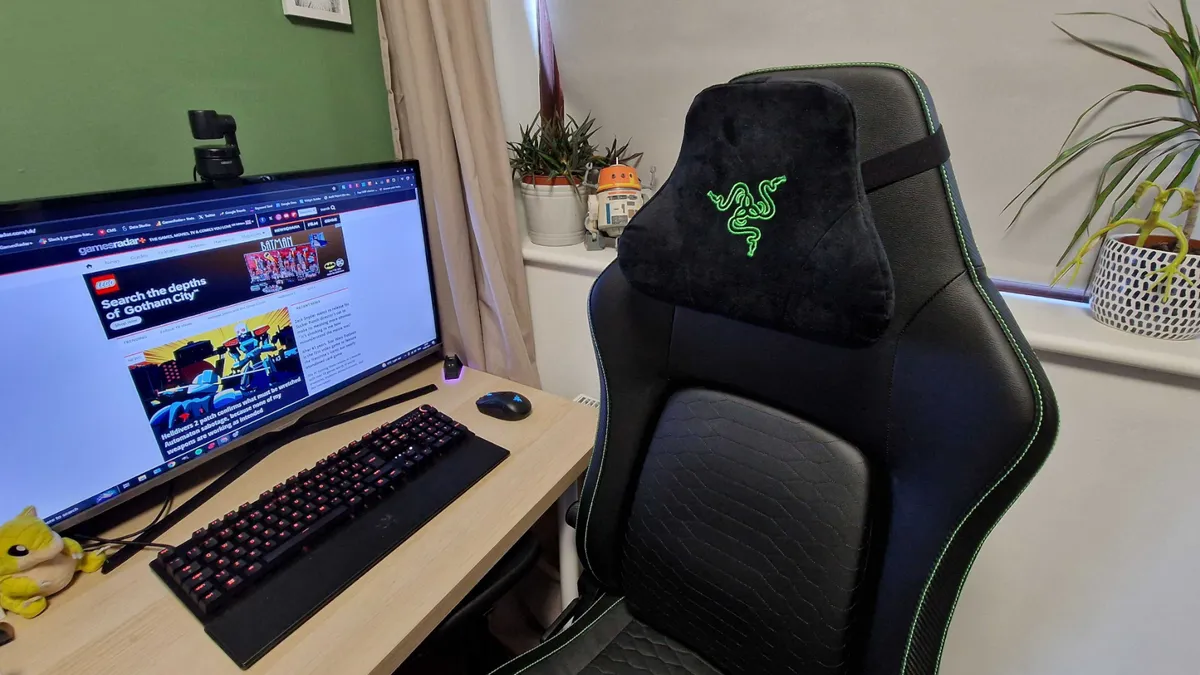
The Razer Iskur V2 has a spec sheet that reads like an older version of the Autofull M6 Ultra 2.0, just without the heating and cooling features. The V2 benefits from a similar adjustable lumbar support system, complete with a scroll dial on the side, that can move up, down, as well as inward and outward. That means you're still getting that floating back support when sitting forward in the chair.
Ben took on our Razer Iskur V2 review and still uses this set of cushions to this day. Yes, it's a little more expensive than the competition; that's Razer tax for you. Its premium build and subtle design have helped it stay afloat against the rest of the market, though.
It's worth noting that you lose the additional headrest adjustment of the Autofull M6 Ultra here. This noggin cushion is simply strapped onto the back.
Should you buy a gaming chair with a floating back rest?
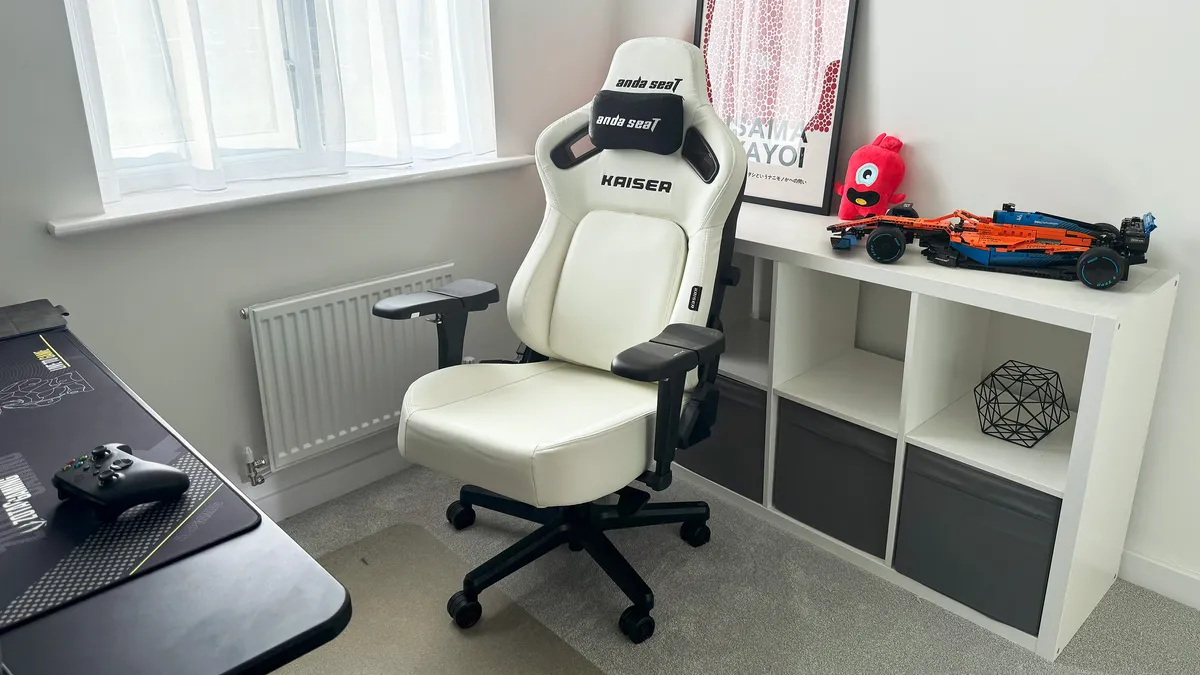
It should be obvious by now that my personal recommendation for anyone with a smaller body type would be to opt for a floating back rest. In the last few months, I've noticed how the empty space previously sitting between myself and my chair forced me into unnatural and spinally horrendous positions. Since being able to keep my lower back firmly in place, I'm fidgeting less and noticing less of a strain across my shoulders and neck.
Aside from my personal experience, though, gaming chairs with floating back rests provide greater ergonomic support for your whole body. Every time you move out of the optimal position in a regular gaming chair, you're essentially asking different parts of your body to take an unnatural strain. When your chair can adjust to meet you where you're sitting, while dynamically moving with you as you shift, that stress is removed.
- See all gaming chairs at Amazon
We're also hunting down all the best console gaming chairs and the best pink gaming chairs for those after something a little brighter. Or, check out the best gaming desks for a full setup refresh.

You must confirm your public display name before commenting
Please logout and then login again, you will then be prompted to enter your display name.
